
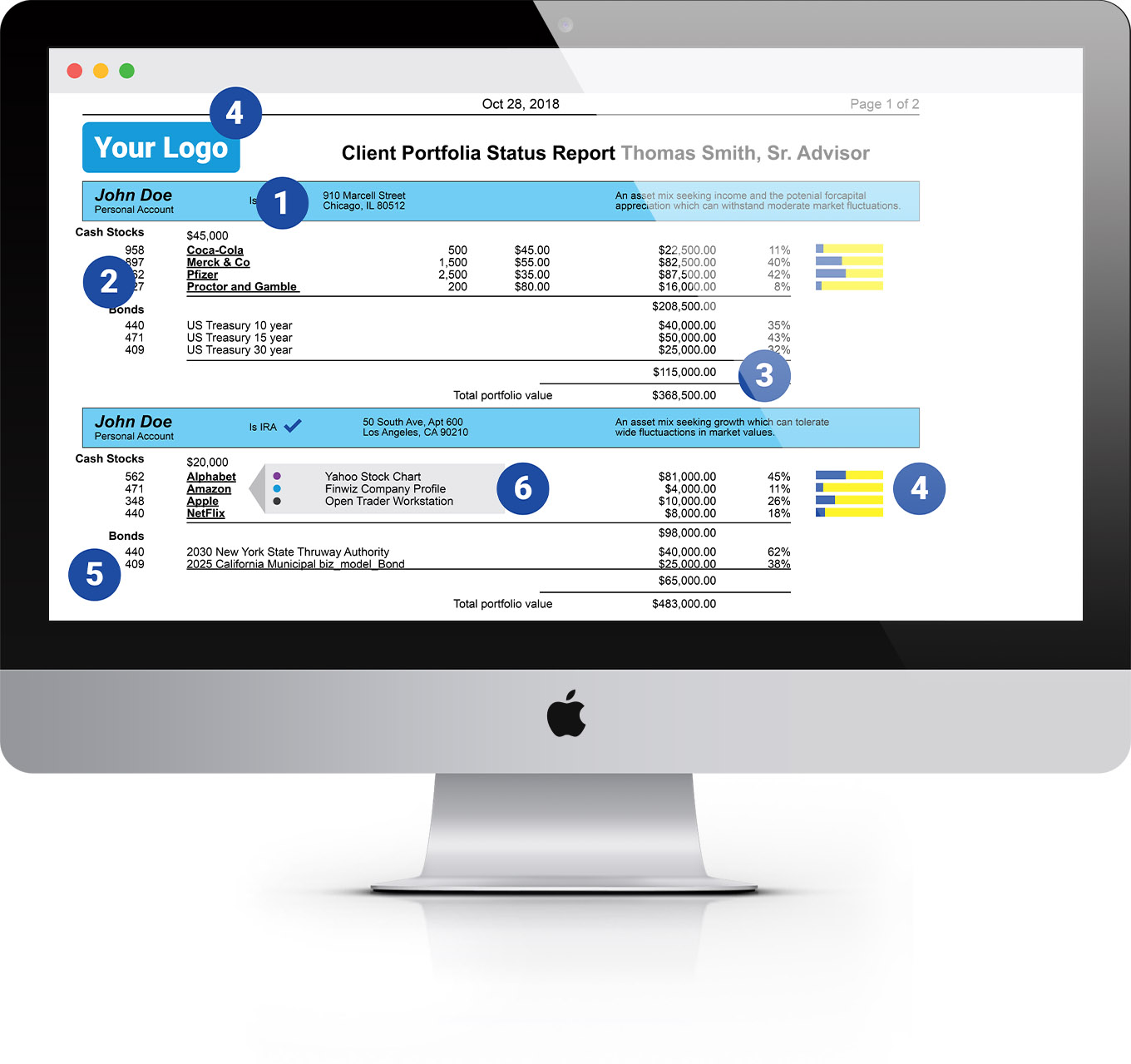
Legacy SQL tools struggle with today’s complex, non-tabular data. Qarbine bridges the gap with native access to operational data and interactive views that give people information they can act on.
✔ Query data using the native capabilities of each data source.
✔ Build interactive operational views with drill-down, calculations, and detailed presentation.
✔ Reuse governed queries and templates across teams and applications.
✔ Use the full suite directly, or embed operational views where users have the business context to act.
✔ Find relevant data with vector search, then use RAG and AI to investigate it further.
Query and work with data in its natural form
Qarbine directly supports 35+ data platforms and 20+ AI services. Native queries and complex data structure support help teams work with operational data without exporting it to a data warehouse or flattening business objects into tables as required by legacy SQL approaches. Governed queries and templates in a shared, searchable catalog let teams easily reuse components much as they reuse code.
See the details behind the dashboards
Dashboards summarize. Qarbine’s interactive operational views let people examine underlying records and relationships, work with calculations and graphics, and follow the details that matter to a decision. The Template Designer combines Microsoft Word formatting, Excel calculation semantics, and PowerPoint layout features for unsurpassed flexibility in analyzing and presenting modern data.
Bring operational views into your workflows
The full Qarbine suite of 10+ integrated tools lets teams define governed queries and templates within a shared catalog. Query components can then be reused across views, maximizing the value of specialized team skills. The suite works independently of any custom application. When an application gives users the relevant business context, teams can embed an operational view at that moment. Teams can deliver detailed application experiences with drill-down, export, print, and sharing without building every page themselves.
 Interested in Leveraging Generative AI? Watch this to Learn More.