Start with the Portfolio Business Object
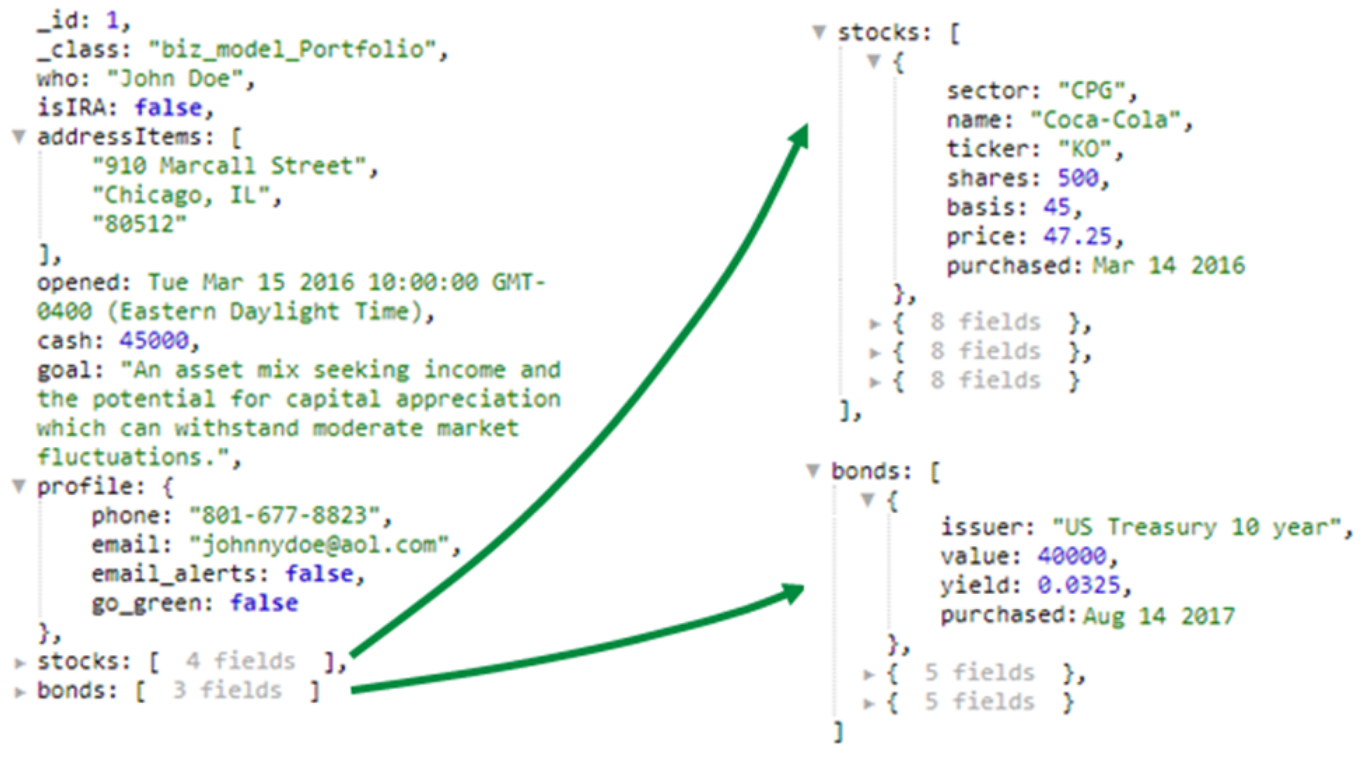
A MongoDB portfolio document can hold account details, a profile, and arrays of stock and bond holdings in the structure the application already uses. Qarbine can query and process that object directly. The example below shows the nested data that will feed the operational view.
db.portfolio.find( {cash: {$gt: 2000}, isIRA: false } )
One matching portfolio document is shown below. Its
stocks and
bonds arrays contain holdings within the same business object.
See What the Document Model Preserves
The portfolio keeps account information and stock and bond holdings together as one business object. In a relational database, those holdings would typically require separate tables and joins to reconstruct the portfolio. Flattening the results for a SQL-based analysis tool can multiply rows and make calculations harder to define Qarbine works with the nested document directly, so the template can iterate through its holdings and calculate values using the same fields the application uses.
Turn the Portfolio into an Operational View
Qarbine’s suite includes tools for native querying, template design, dialog creation, and component management. The Template Designer brings together Excel-like formulas, Word-like formatting, and PowerPoint-like layout control. More than 450 macro functions and a range of custom cells support complex calculations, conditional processing, graphics, and interactive elements.
A template defines how to move through the portfolio document, calculate values for each holding, and present the results. Qarbine’s engine applies those definitions to the query results to produce the operational view. The diagram below shows how runtime values, data retrieval, and the template come together.

Qarbine processes the portfolio document in the same structure the application uses, including its embedded stock and bond arrays. The template iterates through those holdings and references their fields directly. Recreating this view through SQL would require flattening the document or splitting the business object across tables, then using complex joins and calculations to put it back together.
Examine the Finished Operational View
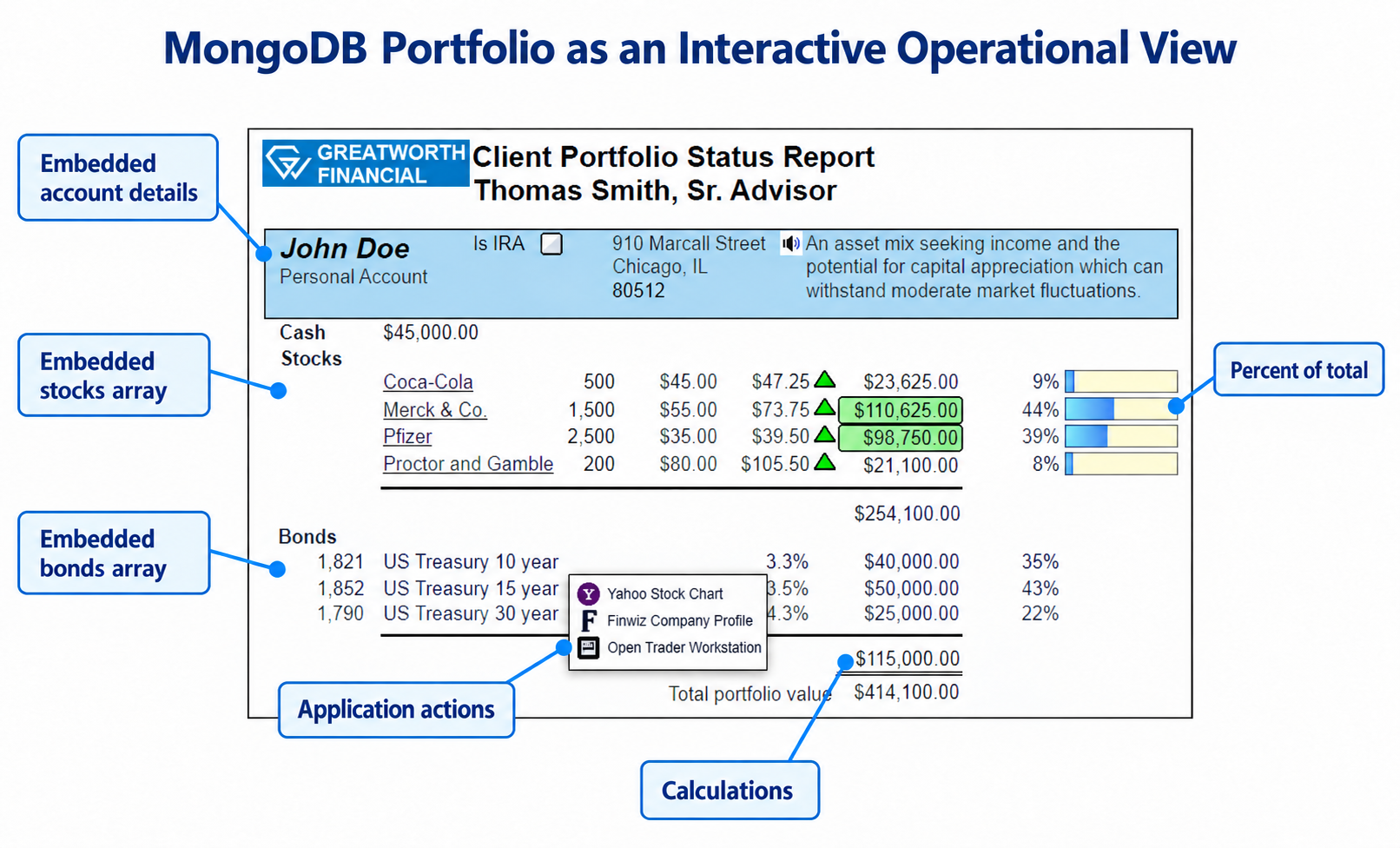
The resulting view presents account details and holdings together, with calculations, graphics, and ways to explore the underlying data. Qarbine’s two-pass analysis engine supports percent-of-total calculations across the holdings, a useful measure that requires the complete set of values before each percentage can be determined. The callouts highlight these capabilities in the portfolio view.
Getting Started
The portfolio example shows how Qarbine works with MongoDB documents in their natural form, from native query to interactive operational view. Teams can reuse that approach to deliver detailed application experiences without translating queries into SQL or flattening business objects into tables.
Explore the
MongoDB tutorial or browse the
Qarbine documentation.

 MongoDB and Qarbine:
Interactive Operational Views |
Native Integrations |
Financial Services + AI
MongoDB and Qarbine:
Interactive Operational Views |
Native Integrations |
Financial Services + AI