
Applying Vector Search and AI in Financial Workflows
Financial teams need to find relevant information across large collections of documents and examine current portfolio data in detail. Qarbine combines native MongoDB queries, vector search, and AI services within interactive operational views. The two examples below show how teams can locate relevant SEC filings and generate commentary from the contents of a live portfolio view.
Find Relevant SEC Filings with Vector Search
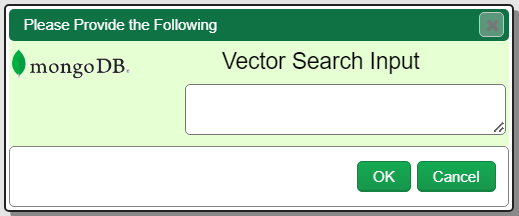
The Qarbine Prompt Designer provides a large number of widgets to easily define a dialog to ask for user input as runtime variables. In this example we are going to use a simple Qarbine prompt component to ask the user to describe what they want to find. Alternatively an application could supply this directly when Qarbine operational views are embedded in an application workflow.
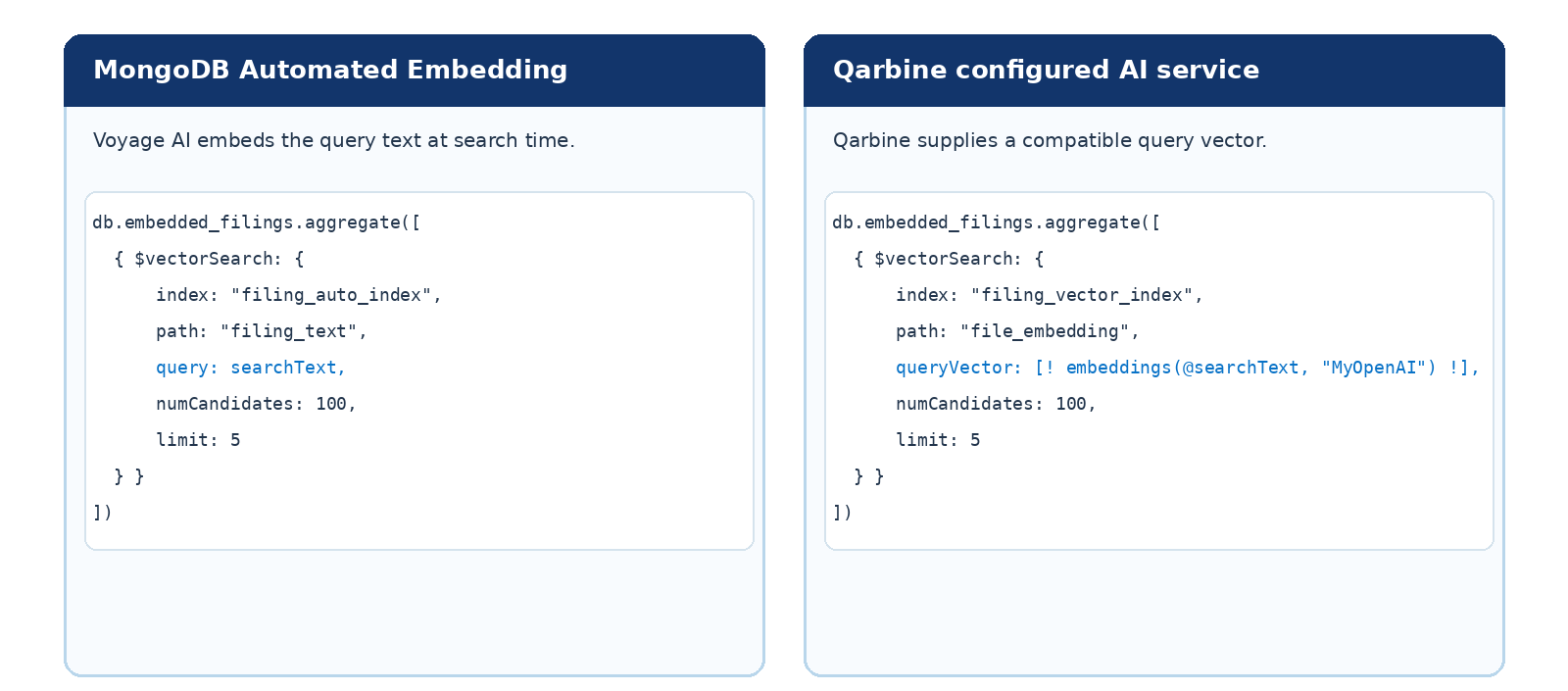
The query can follow either of two paths. With MongoDB Automated Embedding, MongoDB uses the configured Voyage AI model to embed the query text at search time. Alternatively, Qarbine can obtain an embedding from a configured AI service, such as OpenAI, and supply that vector to a native MongoDB query. The query embedding must be compatible with the embeddings used to index the SEC filing chunks.
MongoDB returns the relevant filing chunks as a standard Qarbine answer set. A template can then process and present those results for closer examination. Teams can also use MongoDB reranking to refine retrieved results when the application calls for it. The answer set can then be presented within the Qarbine suite, used by a template, or easily consumed in various other manners.
Generate AI Commentary from Live Operational Data
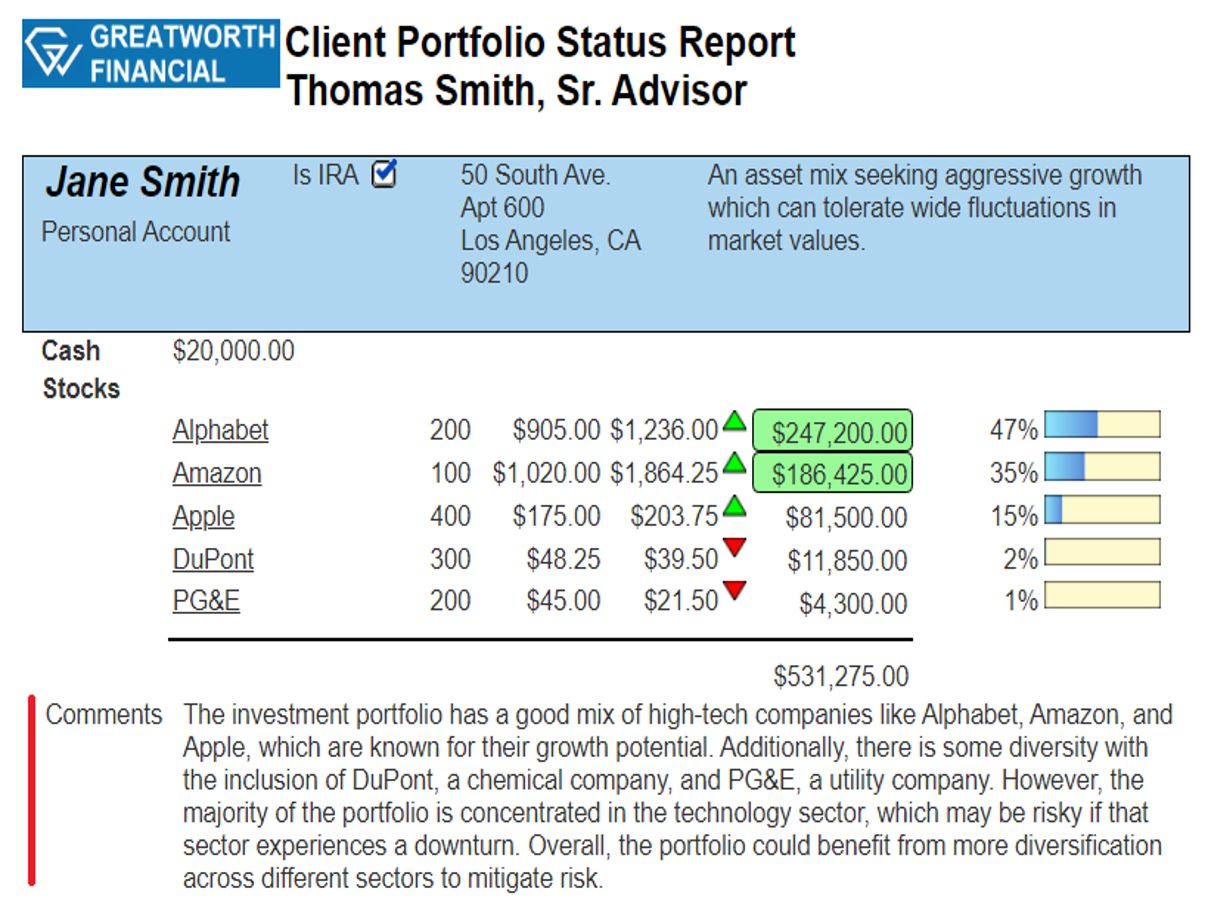
This example builds on the portfolio operational view. Qarbine processes the MongoDB document in its natural structure and calculates holding values, totals, and percent-of-total measures. Uses include being embedded within an application or running interactively within the Qarbine suite.
Two template formulas in this example are used to add dynamic inference. The first captures content being produced during the current view execution. The second combines that content with other instructions to form a prompt for a configured inference service. The generated commentary appears in the same view as the portfolio data that informed it. Adding AI based operational insights now becomes extremely easy for builders of all skill levels.
The embedding service used for retrieval and the inference service used by the template can be from different vendors. Qarbine can also reference multiple configured services by alias, giving teams flexibility to choose the right service for each task.
Getting Started
The portfolio example shows how Qarbine combines native MongoDB data access with dynamic inference inside an interactive operational view.
Explore the MongoDB tutorial or browse the Qarbine documentation.